 Chive
ChiveThe grocery list that cooks.
Chive builds your pantry automatically as you shop, then helps you cook with what you have.
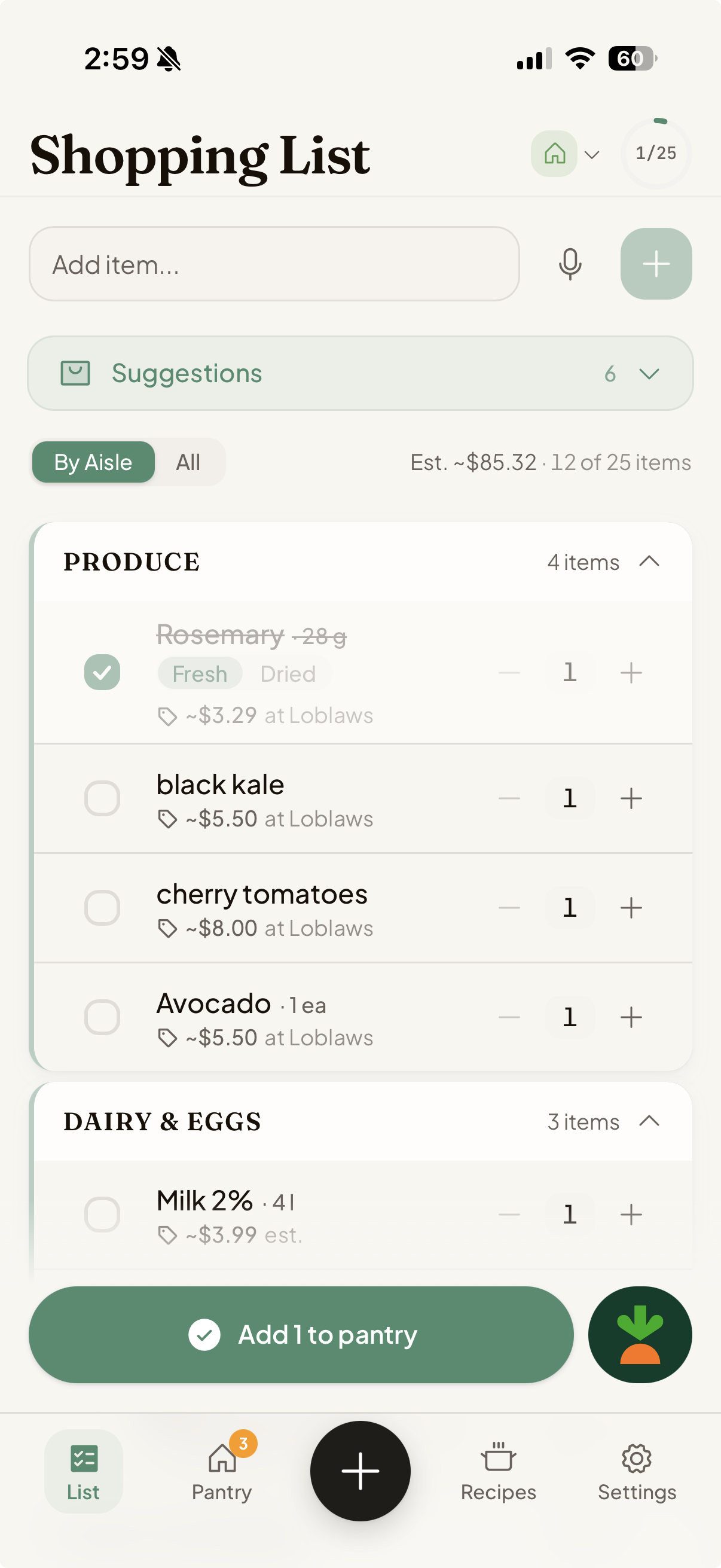
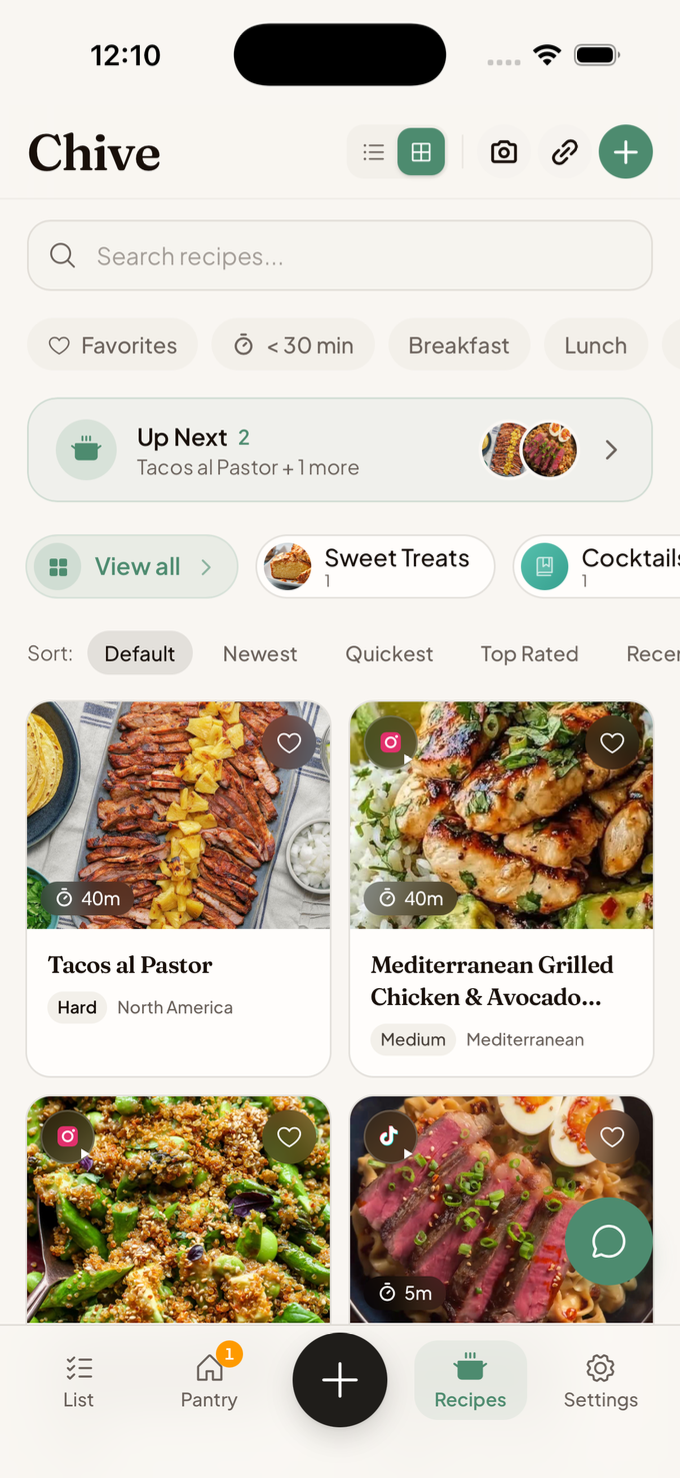
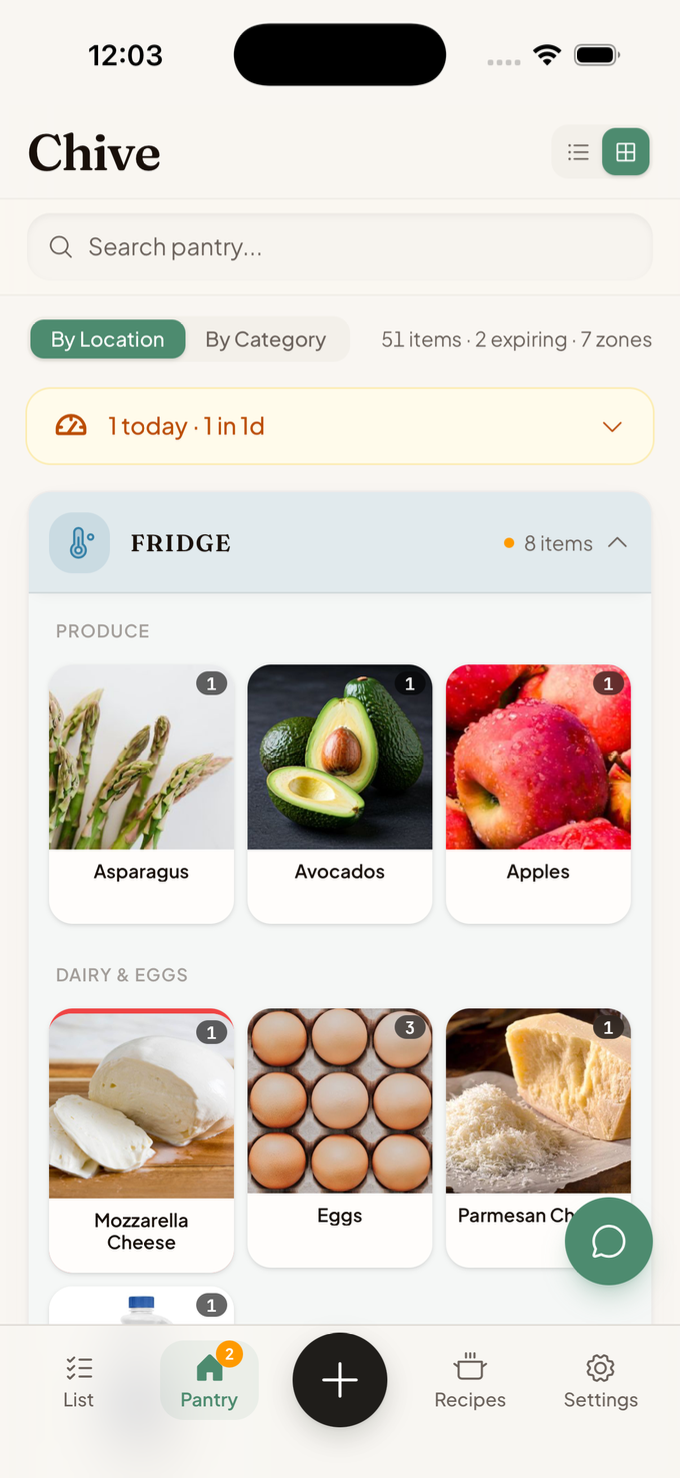
Each step feeds the next, and the more you use it, the more powerful it becomes.
Watch Chive in action
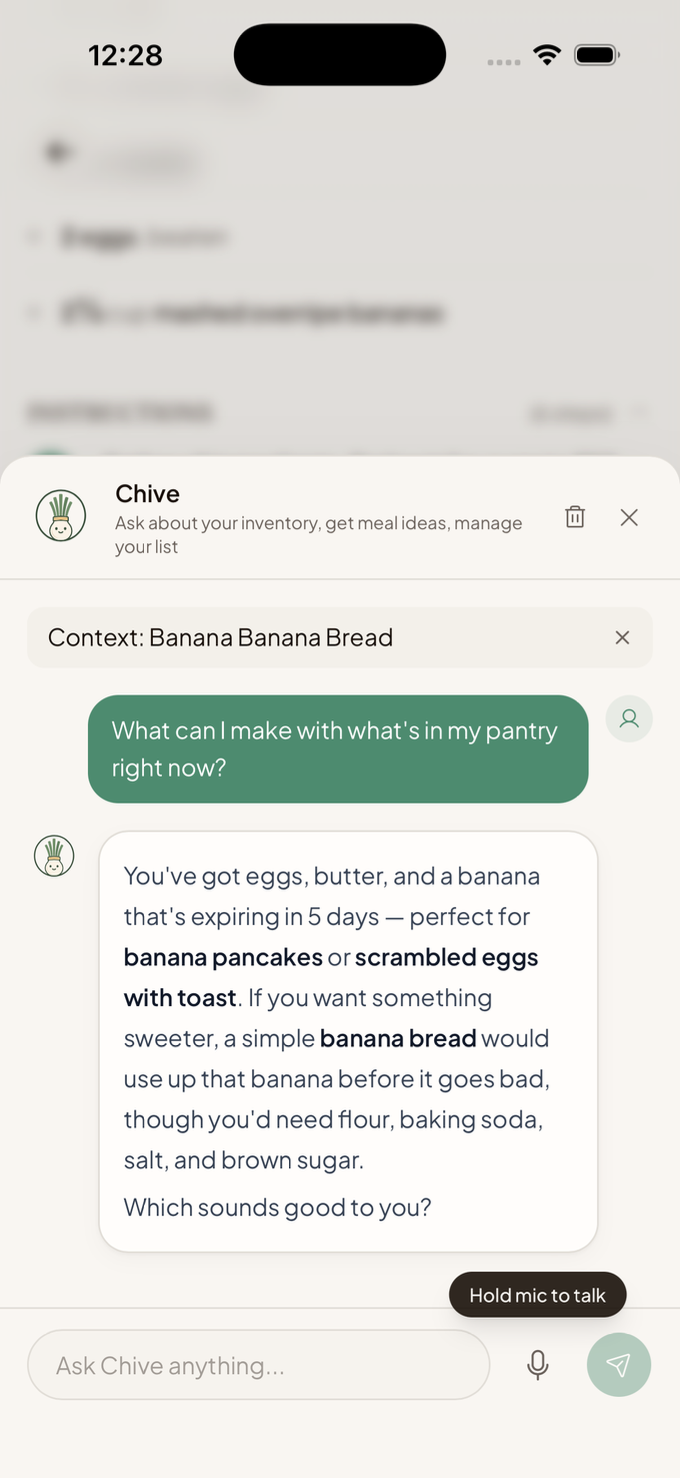
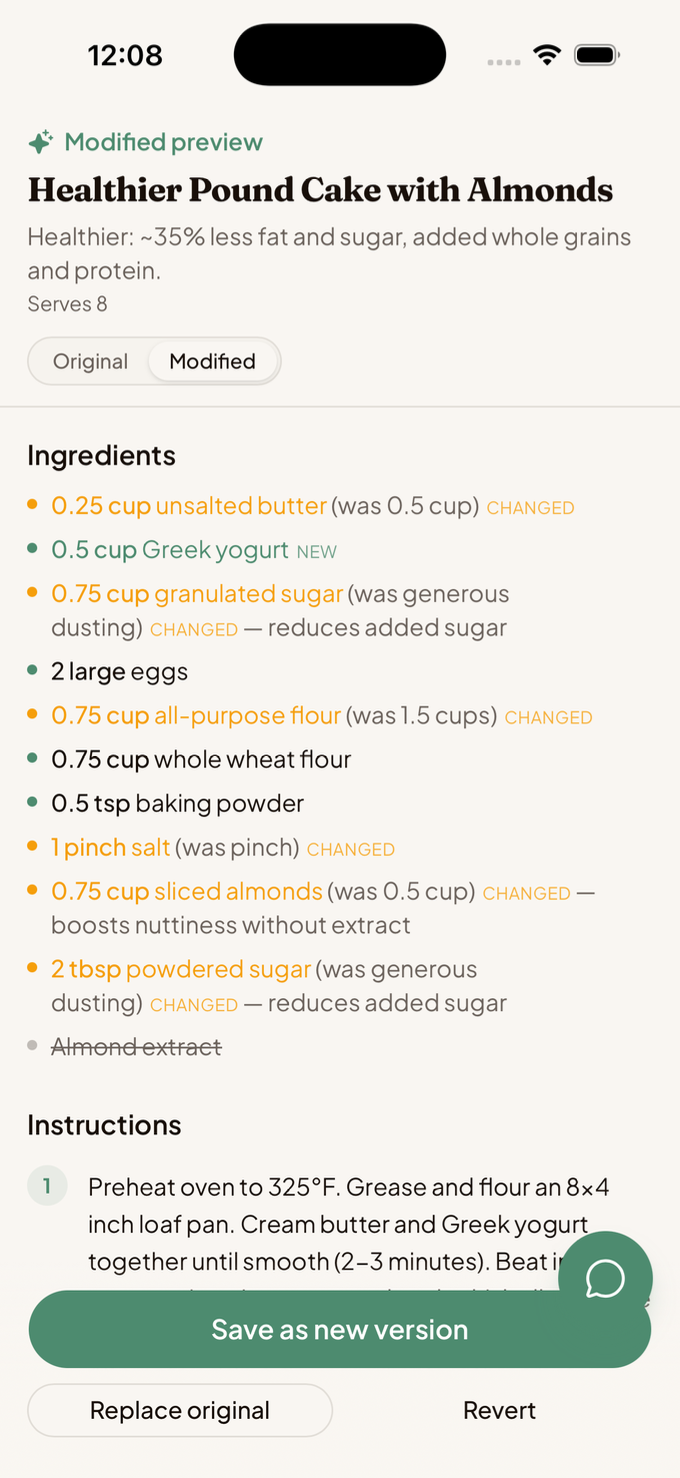
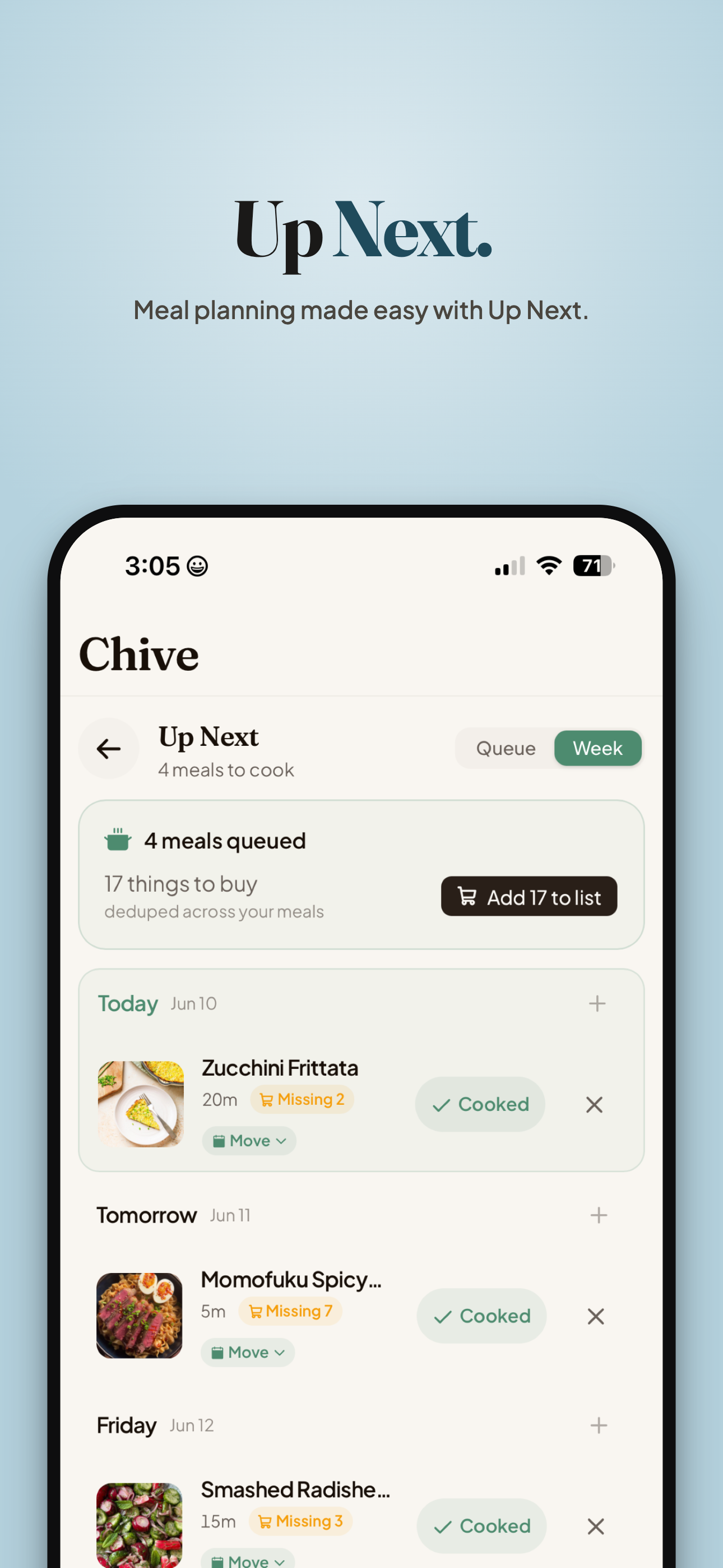
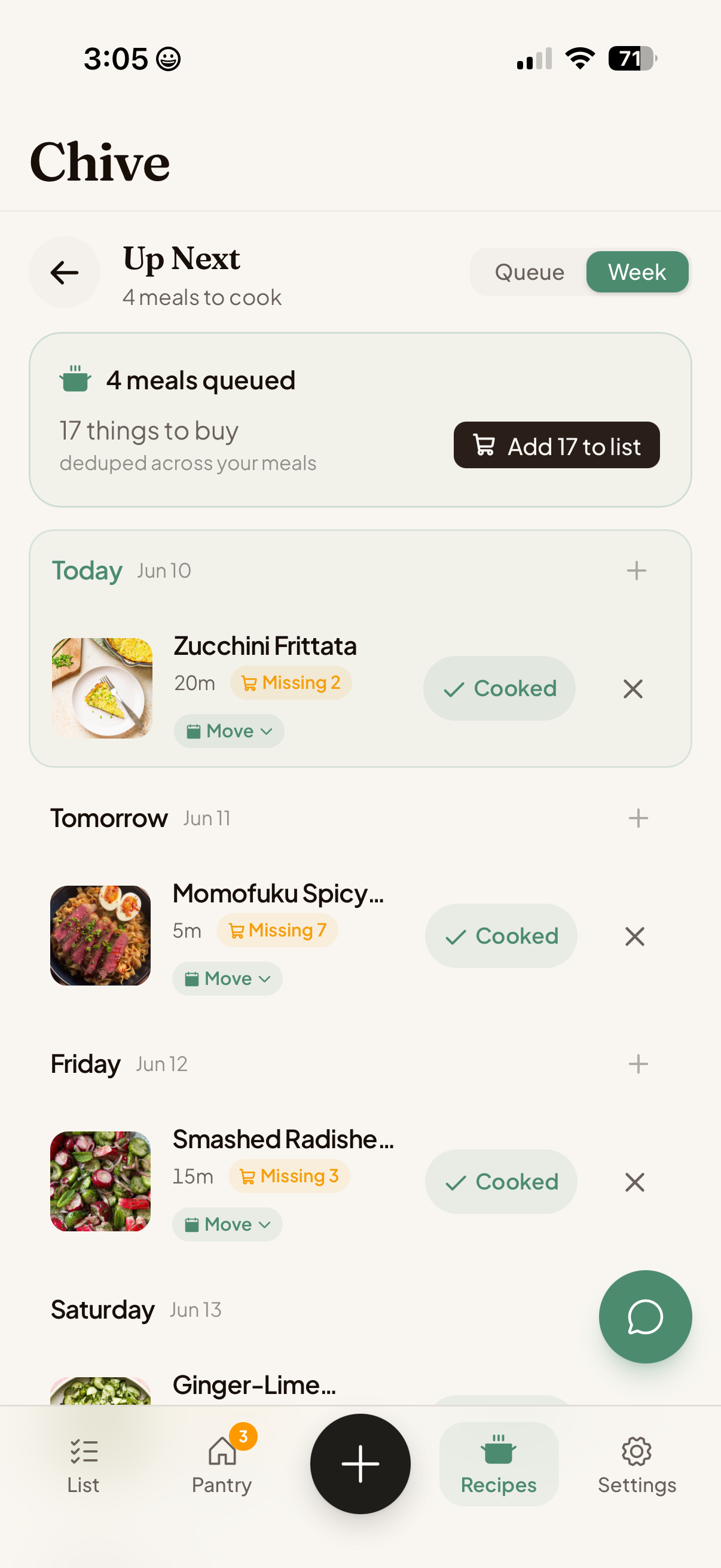
Recipes that know what’s in your kitchen.
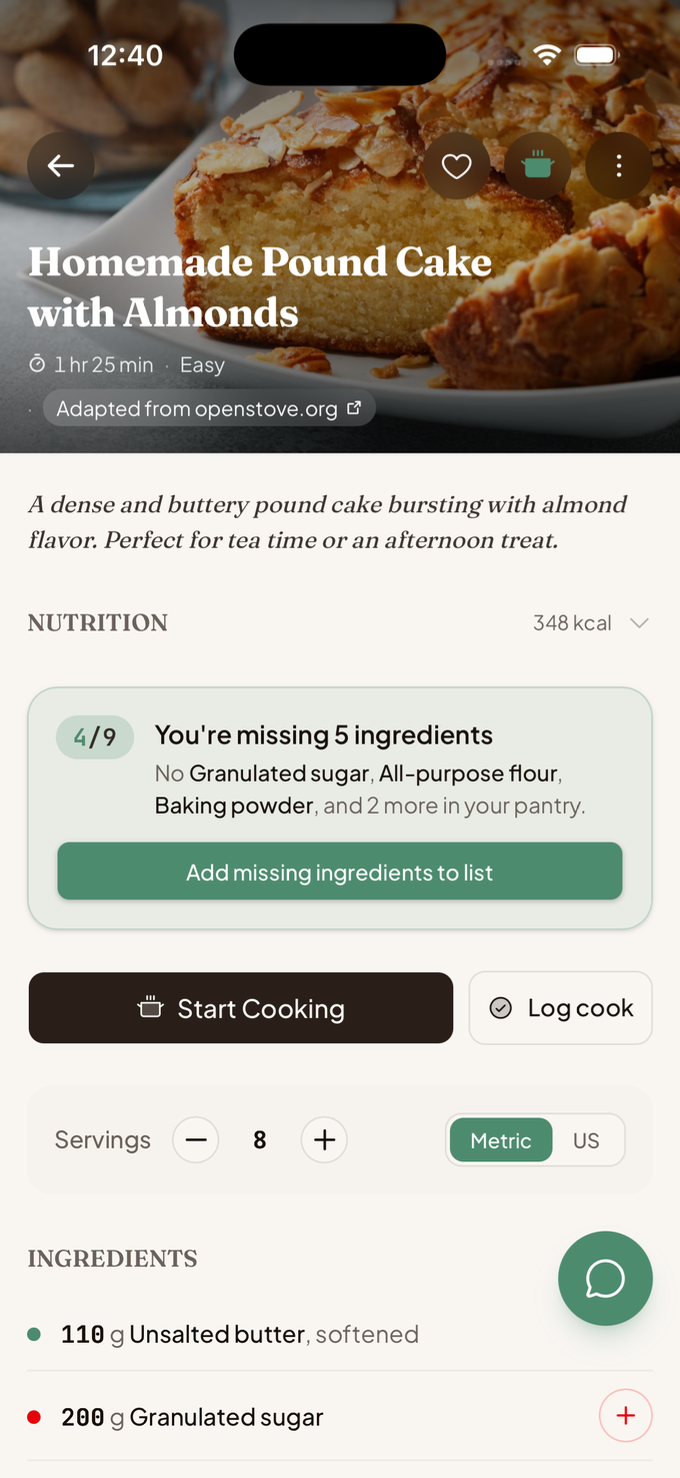
Other apps just store recipes. Chive checks them against your pantry, tells you what you can cook tonight, and adds what you’re missing to your list.
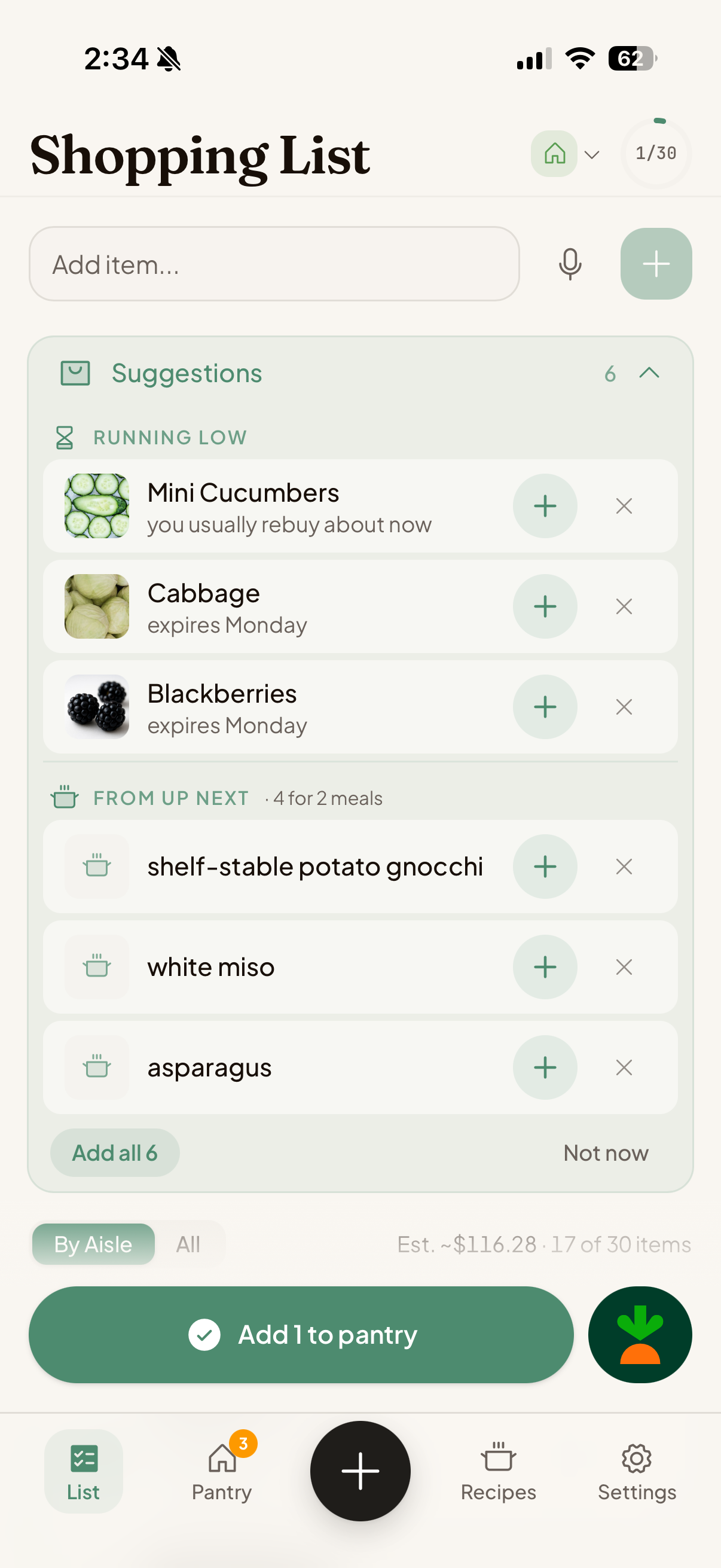
A grocery list that writes itself.
Automatically sorted by aisle, with price estimates from the stores you shop.
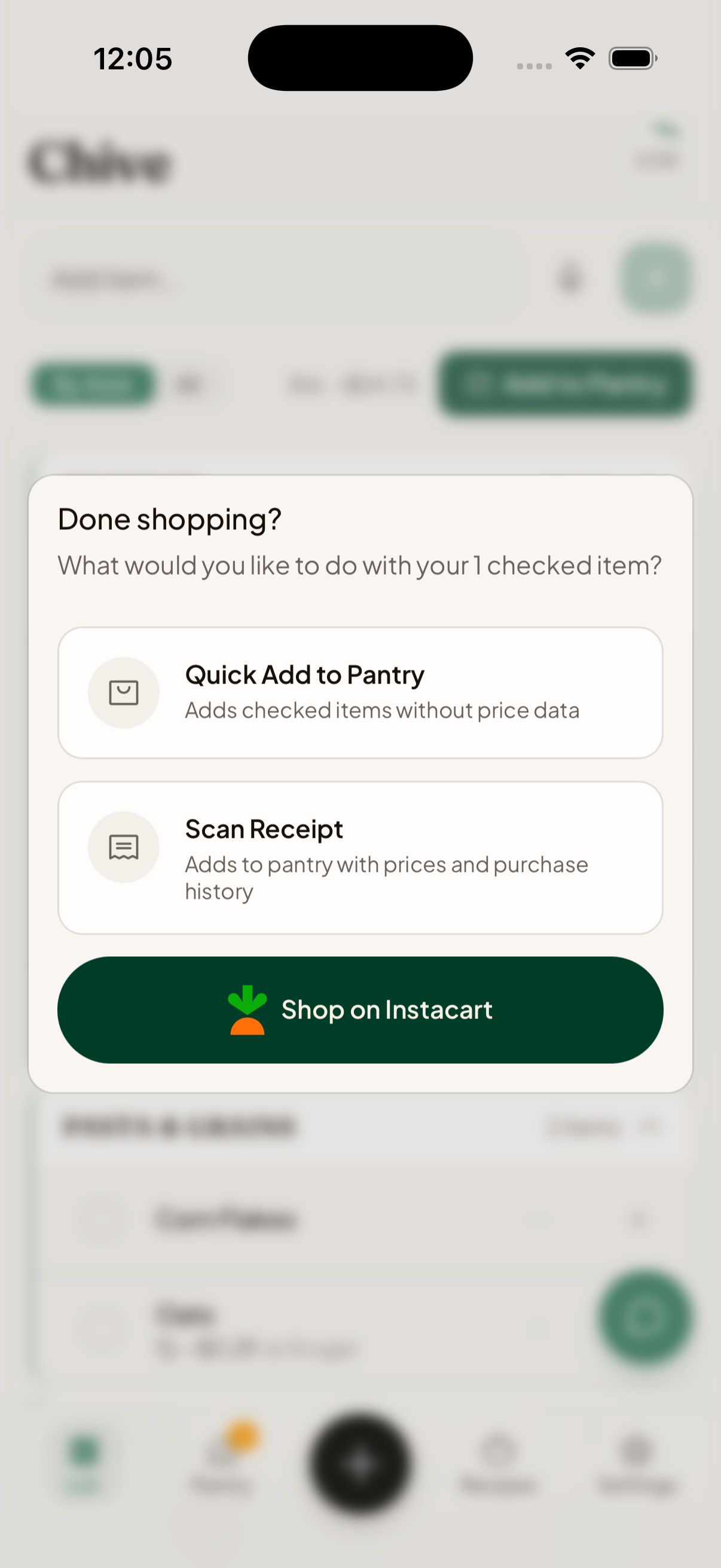
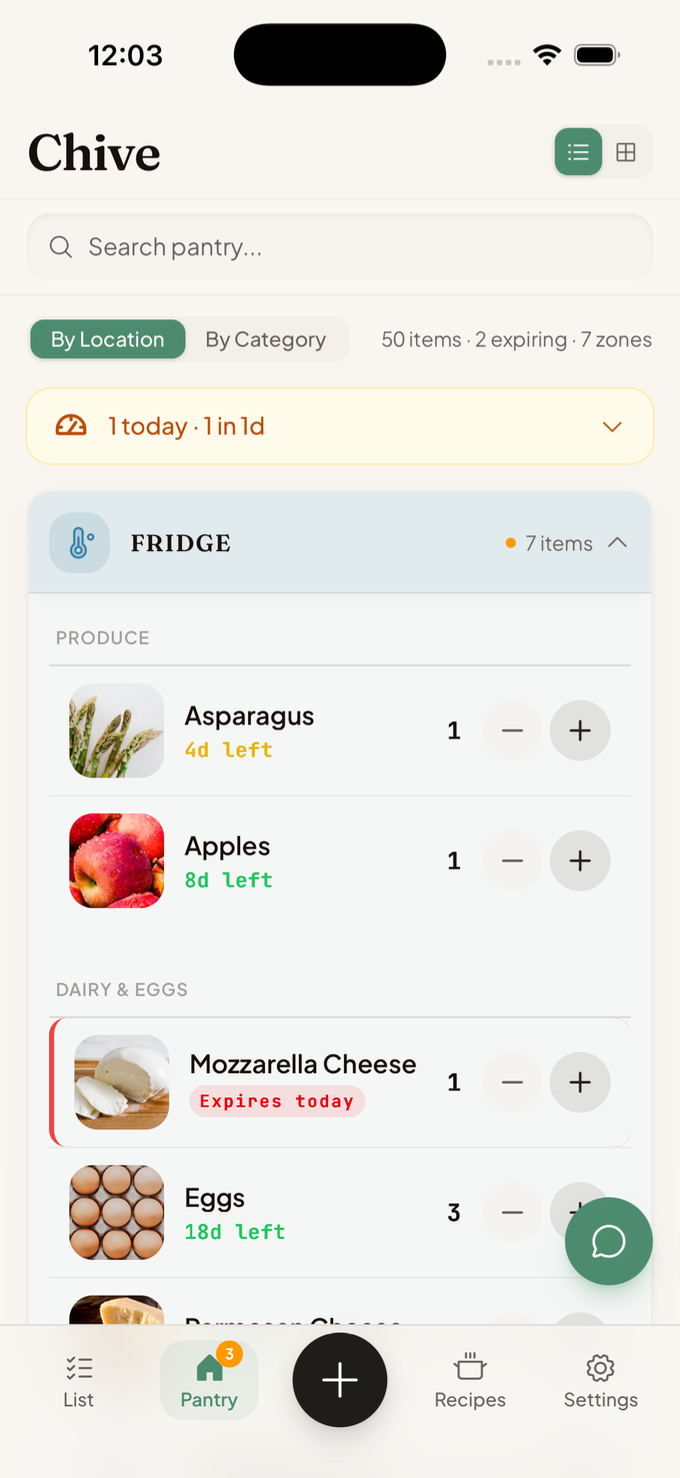
A pantry that builds itself.
Every item you check off lands in your pantry automatically.
Ask Chive anything.
Chive knows your pantry, recipes, and the preferences you choose to share, so it answers questions a general chatbot can’t.
A kitchen that runs itself.
Your pantry fills as you shop, your list fills as you cook. The upkeep happens by itself.
Invite your partner, roommate, or family with a link. Everyone shares one pantry, list, and recipe collection.
Add by photo, scan, receipt, or voice. Chive handles the rest.
View the whole feature list
- Photograph your counter — Chive identifies multiple items at once
- Scan a receipt — line items parsed with prices, then reviewed
- Forward an email receipt to receipts@chive-app.com
- Scan a barcode — single or batch
- Voice add (iOS)
- Add by voice with Siri via Apple Reminders sync (iOS)
- Type-ahead search across your products, a shared catalog, and live retailer search
- “Done shopping” turns your checked-off cart into pantry stock
- Starter packs to stock common items fast
- Builds itself as you shop — items land in the right zone automatically
- Best-before dates estimated by product and zone, recalculated when you move an item
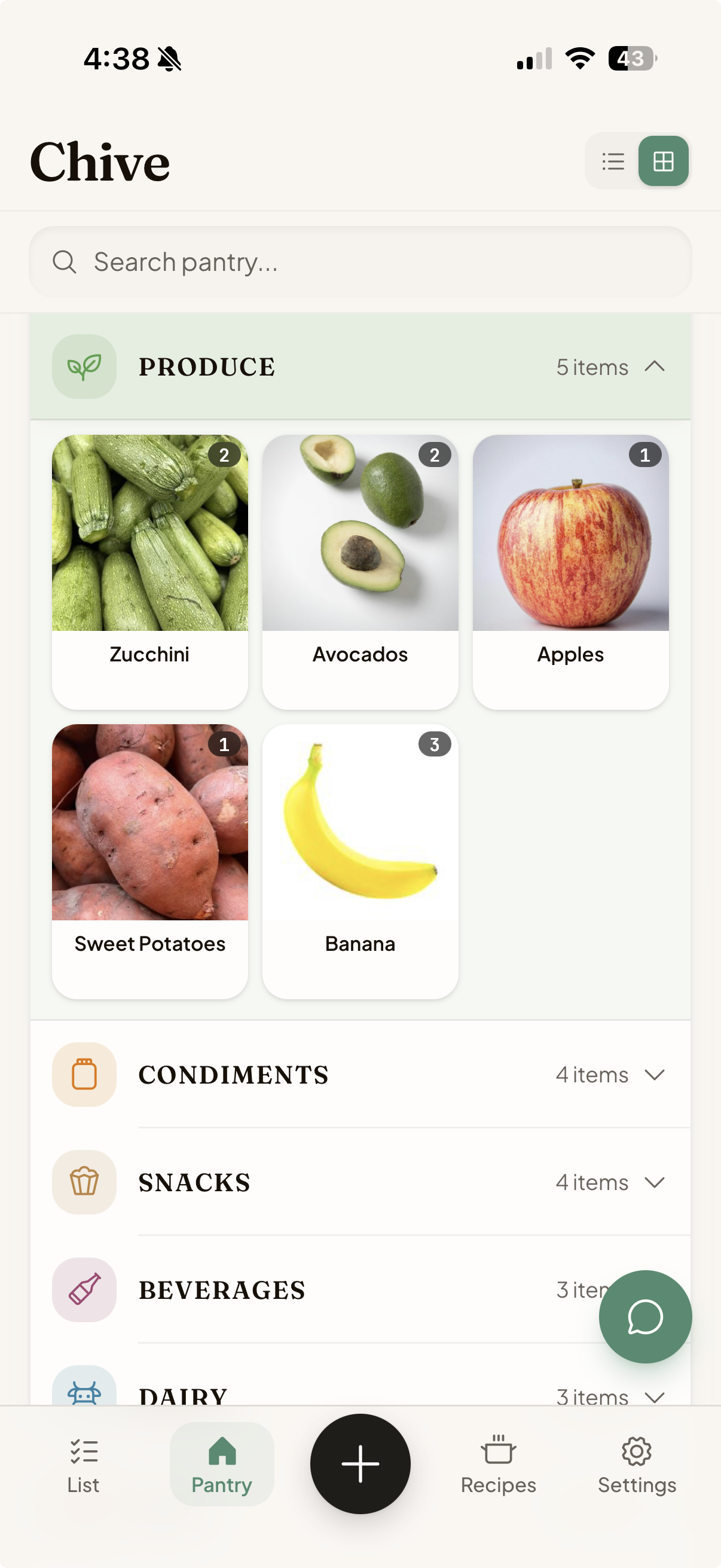
- View by zone or by food category
- Custom zones with their own icons and colors
- Grid or list layout, expiring and low-stock badges
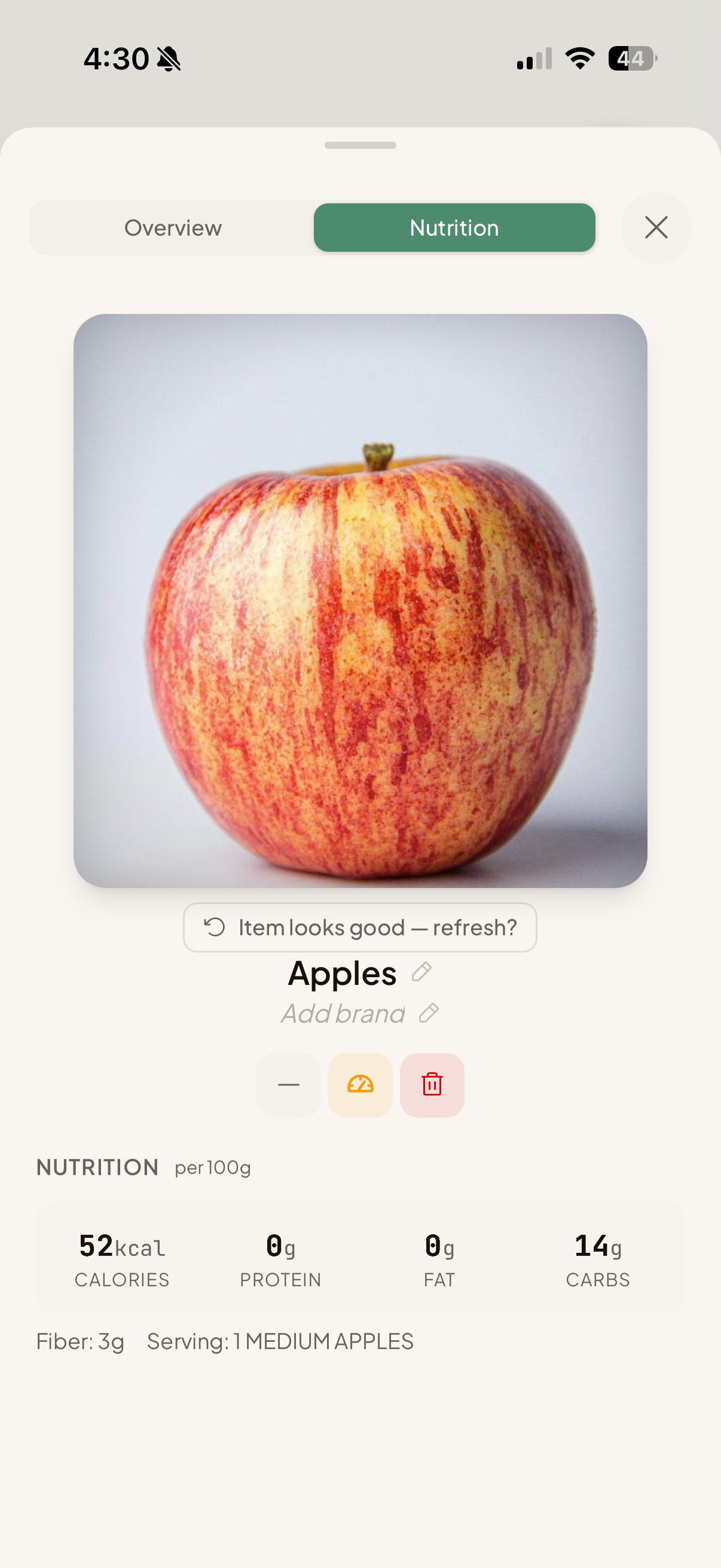
- Detailed product cards — photo, brand, nutrition, price history, expiry
- Quick actions — consume, mark low, empty — each with undo and one-tap restock
- No smart fridge required
- Builds itself as you cook and as items run low or expire
- Running-low suggestions — Chive flags staples you’re likely to need from your shopping rhythm and expiry estimates
- Real-time household sync
- Sorted by your store’s aisles
- Price tracking from your preferred store, with a running total
- Add by voice with Siri via Apple Reminders sync, or the iOS widget (iOS)
- Hand the whole list to the Instacart® app; purchases return to your pantry
- “What can I cook tonight with what I have?”
- Check any recipe against your pantry and add what’s missing, scaled and aisle-sorted
- Modify any recipe by voice or text — “make it vegetarian,” “make it healthier”
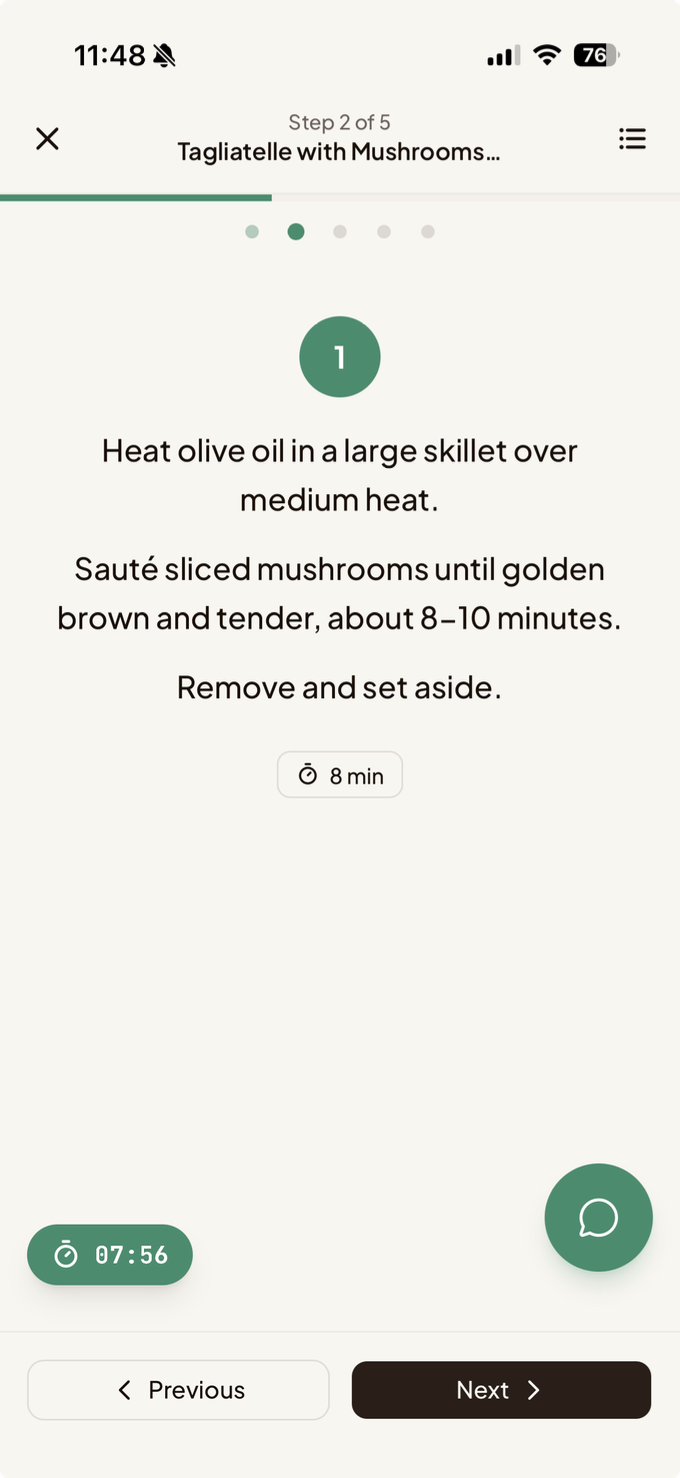
- Talk to Chive hands-free while you cook
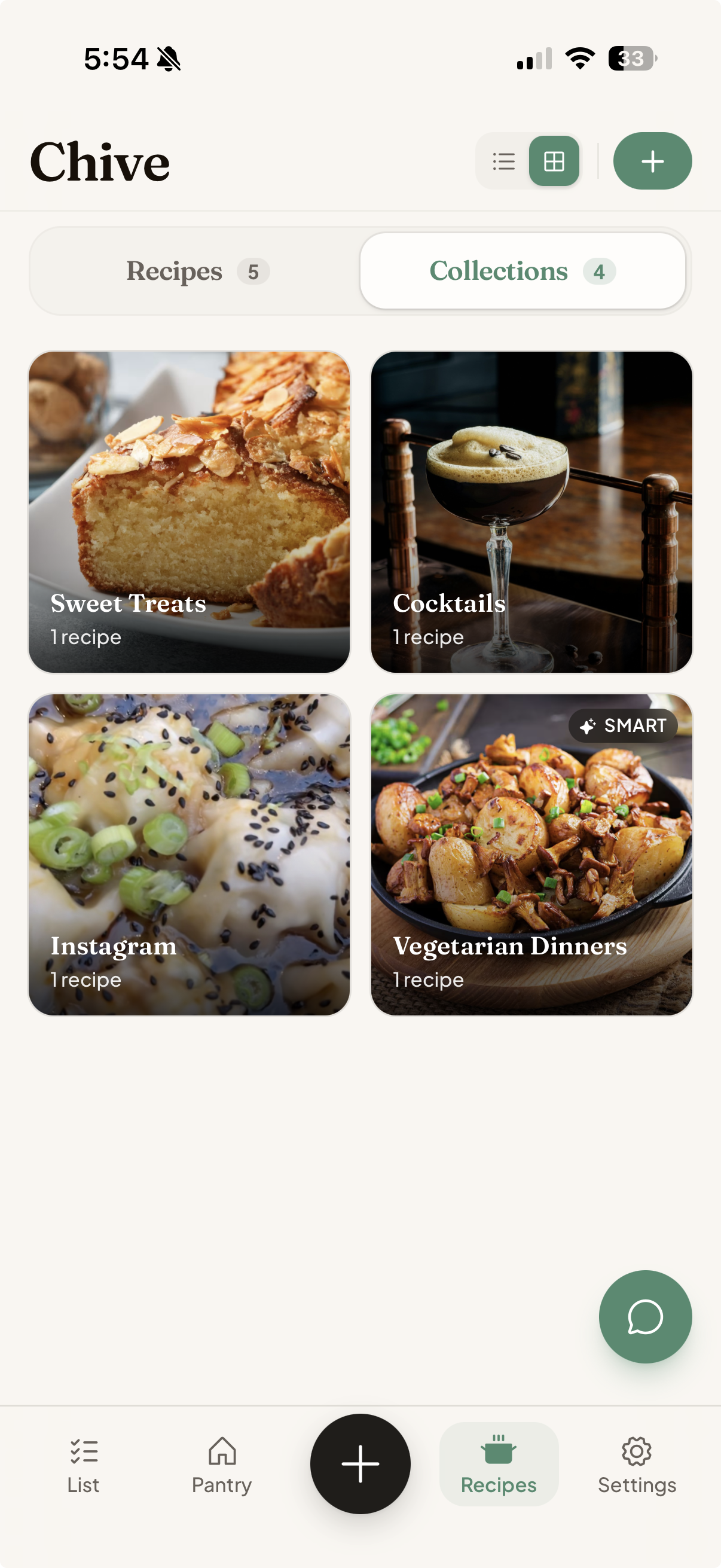
- Smart collections that sort themselves
- Import from Instagram, TikTok, Pinterest, a link, a screenshot, or a cookbook photo
- Step-by-step cook mode with per-step timers
- Cook log — rate, save leftovers, deduct used ingredients, restock what ran out
- Up Next queue — line up meals and shop for all at once
- Nutrition per serving, scaled with the recipe
- Servings adjuster with automatic unit conversion
- Knows your pantry, recipes, and the preferences you choose to share
- Adds ingredients to your list — deduped, scaled, aisle-sorted
- Technique help while you cook
- Organizes loose recipes into collections
- Voice in, voice out
- Connect the Claude Desktop app to your kitchen — ask what’s expiring, what to cook, or add to your list, right inside Claude (Chive+)
- Runs over MCP, scoped to one household, with a token you revoke anytime — step-by-step setup in our tutorial
- Share your whole kitchen — pantry, list, and recipes
- Invite by link, member roles, transfer ownership
- A separate home for your house and your cottage — each with its own pantry, list, and zones (Chive+)
- Switch between your homes from the top of the app
- Expiry and low-stock alerts with a configurable warning window
- Weekly review to clear expiring items and seed next week’s list
- Push notifications (iOS)
- Create, reorder, recolor, and re-icon zones
- Category defaults that auto-route items to the right zone
- Allergen and dietary flags (beta)
- Buy Local — flag locally-made products
- Up to 5 stores, with a Kroger store finder (US)
- Region and units — Canada / US / Australia, metric or US, °C/°F
- Light, dark, or system theme, four text sizes, haptics (iOS)
- Import from Paprika, Kitchen Pal, or any CSV or spreadsheet
- Guided wizard with column and zone mapping
- Available right in onboarding
- Export your full data as JSON anytime
- iOS app and installable web app — same kitchen, both places
- iOS home-screen widget
- Siri — Apple Reminders sync + Shortcuts (iOS)
- Instacart® list handoff and return-to-pantry
- Sign in with Apple or Google
- Activity feed of every add, use, move, and expiry — with undo within 24 hours
- Receipt inbox with status, merchant, and totals
- Your data is never sold, never used for ads, never used to train AI
- AI features are optional and consent-gated
- Export or delete your data anytime
Bring your kitchen with you.
Already using Paprika, Kitchen Pal, or a spreadsheet? Import your pantry and recipes in minutes. No starting from scratch. See the guide for your app.
Questions, answered.
How is this different from a recipe app or a list app?
Most do one job. Chive connects them: your list builds your pantry, your pantry finds recipes based on what you have, and cooking refills your list. One loop instead of five apps.
Is my grocery data sold or used to train AI?
No. Chive doesn't sell your data. When you use AI features, only the relevant context goes to Anthropic (Claude), or to OpenAI for voice, purely to answer you. Neither uses it to train their models.
How does it know expiry dates?
They're estimates from a food-knowledge base, based on what the item is and where it's stored, not a guess, and you can adjust any date. Treat them as a helpful nudge, not a food-safety guarantee.
Does it order or buy anything for me?
Never. Chive flags what you're running low on and can add items to your grocery list, but nothing is ordered or purchased without you.
Can I bring my data from another app?
Yes. Import recipes and pantry data from Paprika, Kitchen Pal, or a CSV, and Chive matches your zones and recipe fields automatically.
Can my partner and I share one kitchen?
Yes. Invite others to share one pantry, grocery list, and recipe collection. The free plan covers two people, and Chive+ adds more.
Can Chive handle allergies?
You can flag allergens and Chive surfaces them across your pantry, grocery list, and recipes. This is in beta, so treat it as a helper, not a medical guarantee.
Is it on Android?
A Play Store app is on the way. Until then Chive runs on iPhone and in any browser, and on Android the web app installs to your home screen with full-screen launch, notifications, and the share sheet, all sharing the same kitchen. Step-by-step instructions are at chive-app.com/android.

Made for people who want to cook more.